 Kuvo Code
Bots that keep
the build green.
Kuvo Code is a native Mac harness for coding agents, on any model: Claude, GPT, Gemini, open models and free ones. Give a bot one job and it keeps at it. Review every change like a pull request.
Free for personal use. macOS 26 or later, Apple silicon.
- GitHub Copilot
- ChatGPT
- SuperGrok
- Gemini
- OpenRouter
- Z.ai
- Your own server
- Free models, no account
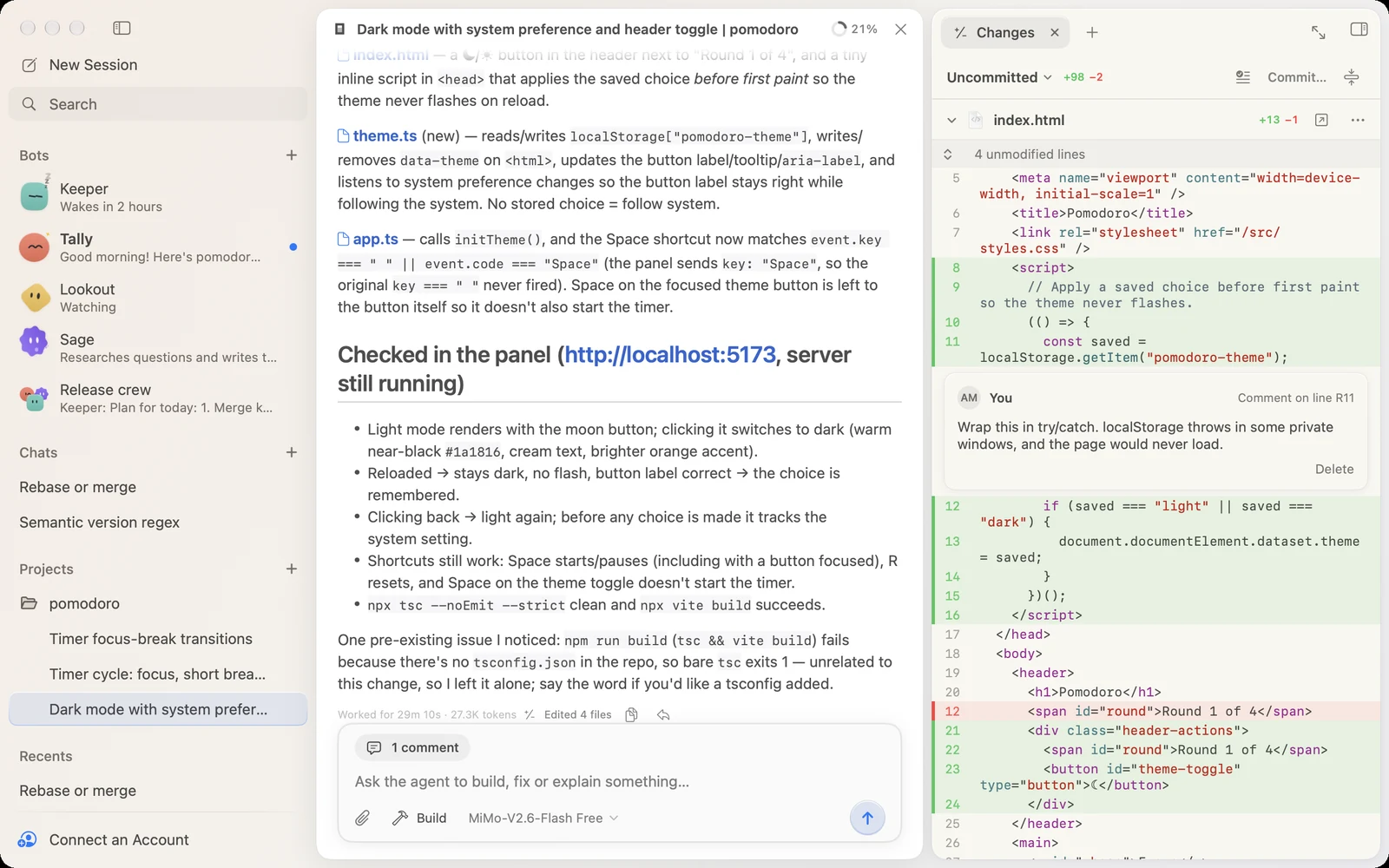
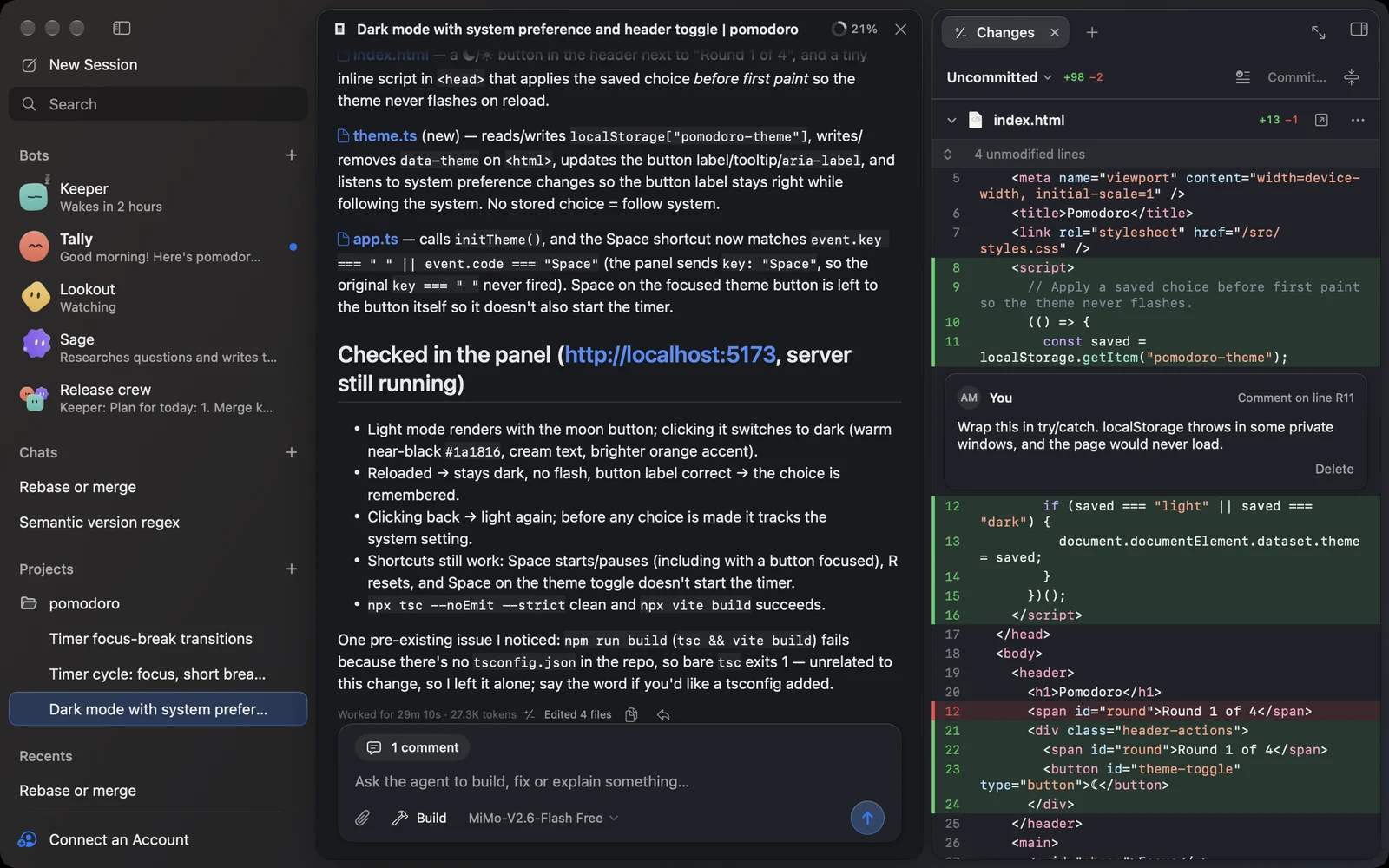
Teammates with a job.
And a face of their own.
A bot is an AI agent with a name, a look and one job, like keeping the build green or sending a morning standup. It remembers what it learns, and wakes itself up to carry on.
Tell it what it's for
Sage: What's my purpose?A new bot asks “What's my purpose?” Your answer is its job, kept at the top of a memory where it saves what it learns.
Wakes itself up
Keeper: Wakes in 2 hoursIt schedules its own wake-ups, like every weekday at 9, and carries on where it left off. On one of your servers, it keeps going while your Mac is off.
Keeps a lookout
Lookout: WatchingAsk it to watch a page or a build. A quick check runs on a schedule, without its model, and wakes it only when something changes.
Talks it through
Tally: Release crew: plan for todayPut a few in a group chat. They discuss it, the lead sums up who does what, and each does its part in its own conversation and reports back.
- Read about bots →
Pick a face.
Then give it a job.
Start from a ready-made bot, or pick a color, shape and face of your own, and how it talks. These move just like they do in the app. Go on, poke one.
Keeps the build green
Breathes, blinks and looks around, and notices when you point at it.
Start From
Look
Personality
Careful and thorough. Checks the edge cases, double-checks the facts, and won't call something done until it is.
The agent works.
You stay in the loop.
Everything the agent does is in one window: what it said, what it ran, what it changed, and the pages it opened.
Review it like a pull request.
The Changes tab shows what changed in the project, straight from git. Unchanged lines fold away, new files show up, and pictures appear before and after. Comment on any line, and the comment goes with your next message.
Read the docs →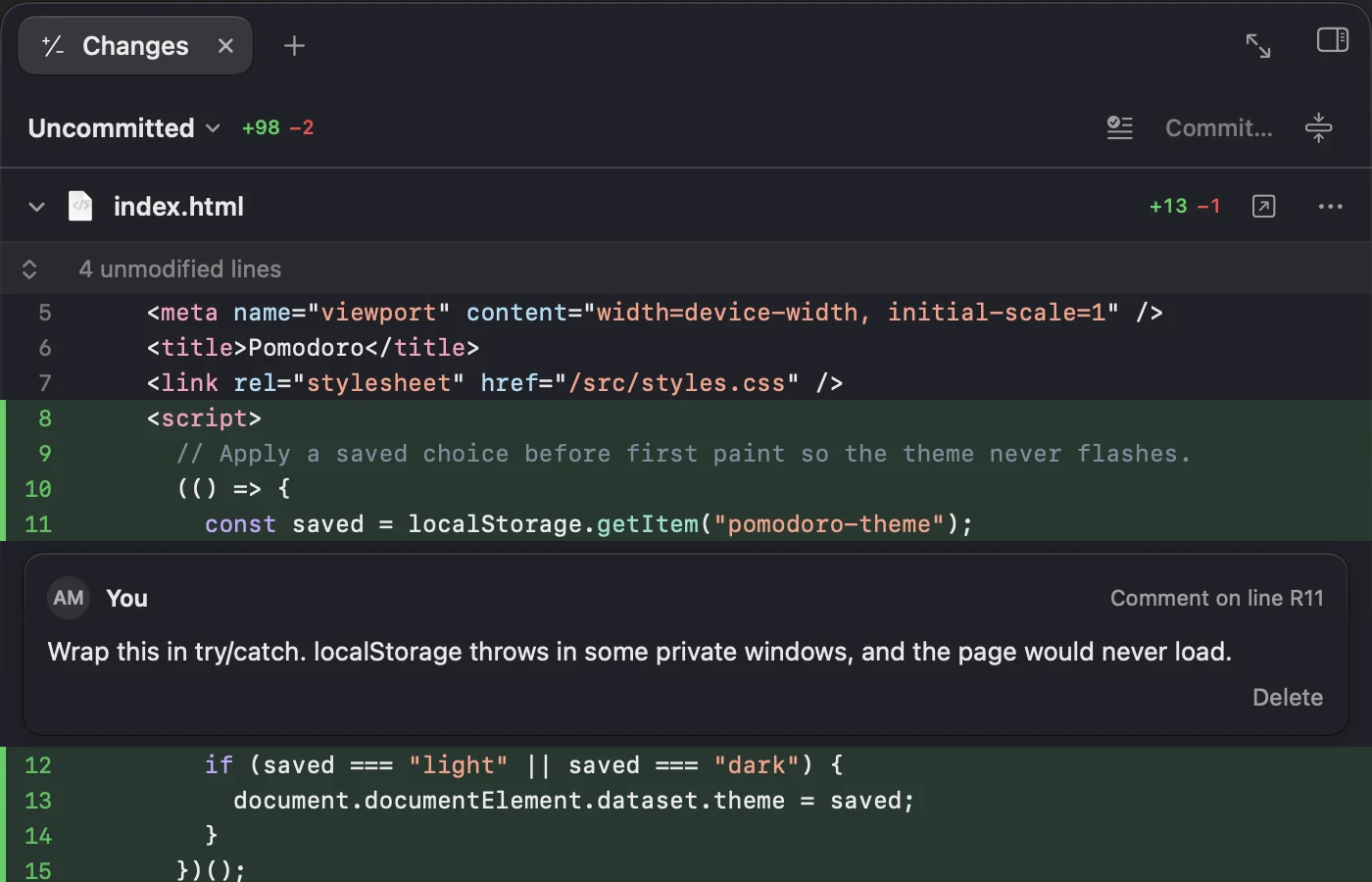
Files, terminals and a browser.
The side panel keeps your tools beside the chat, as tabs: the project's files with code highlighted and Markdown rendered, your shell in the project folder, and a web browser.
Read the docs →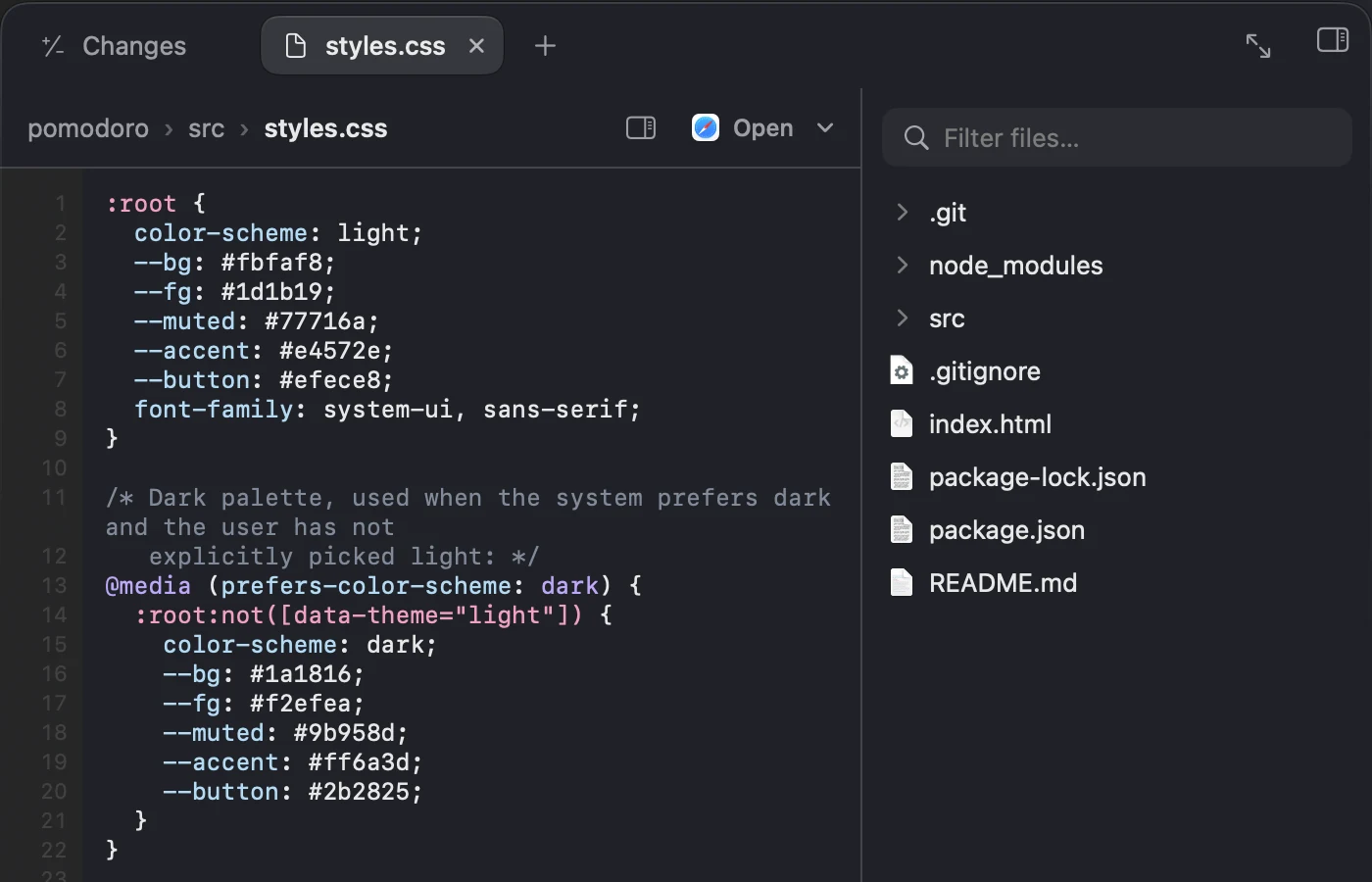
Browsing, with any model.
The agent opens pages in the panel's browser, reads them as numbered elements, then clicks, types and scrolls. Every step happens in the browser you see.
Read the docs →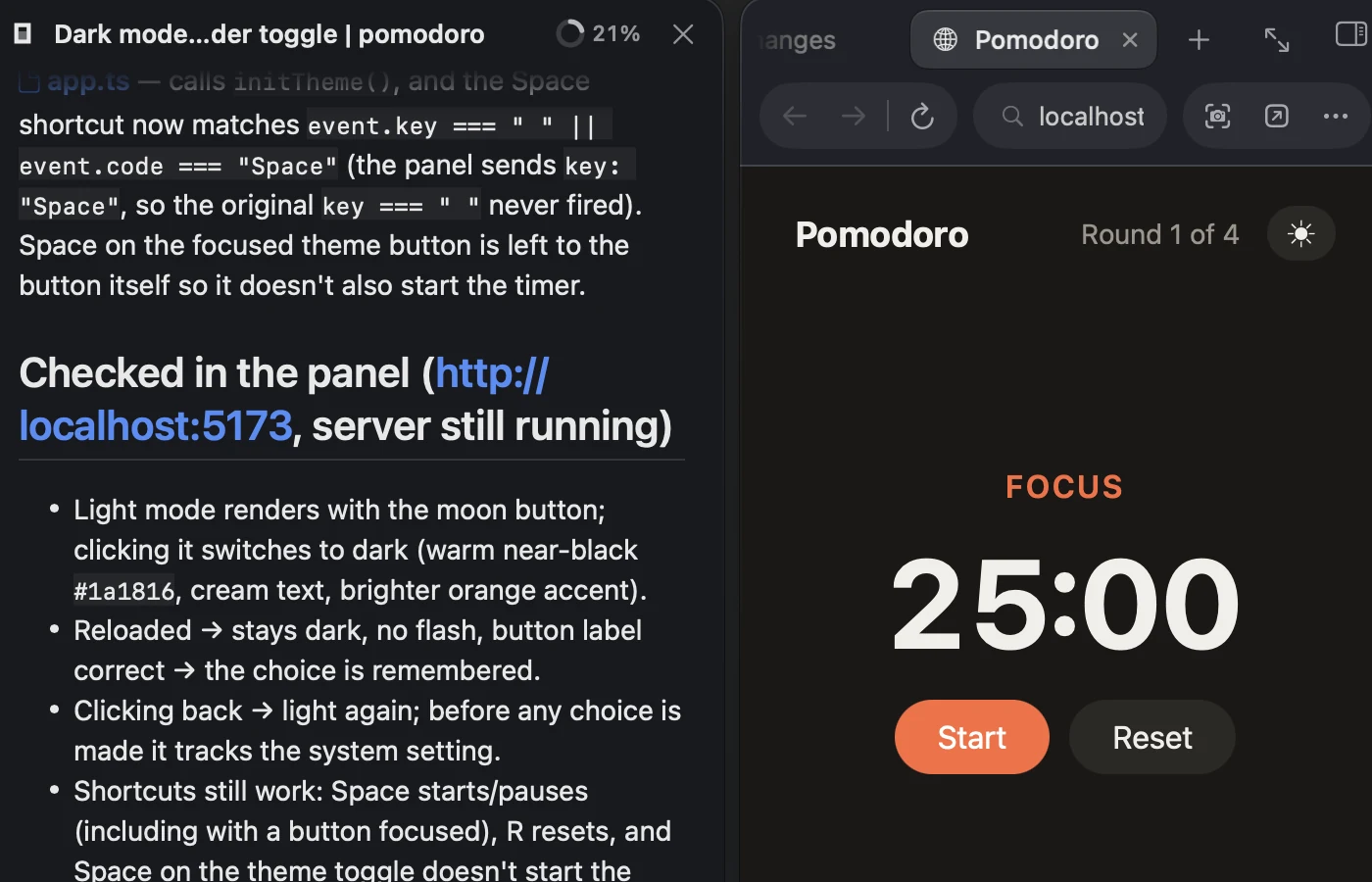
Every plan, in the menu bar.
Limits with pace and reset times, and what you've spent today and over the last 30 days, for the accounts you connect: Copilot, ChatGPT (Codex), OpenCode, OpenRouter and Z.ai.
Read the docs →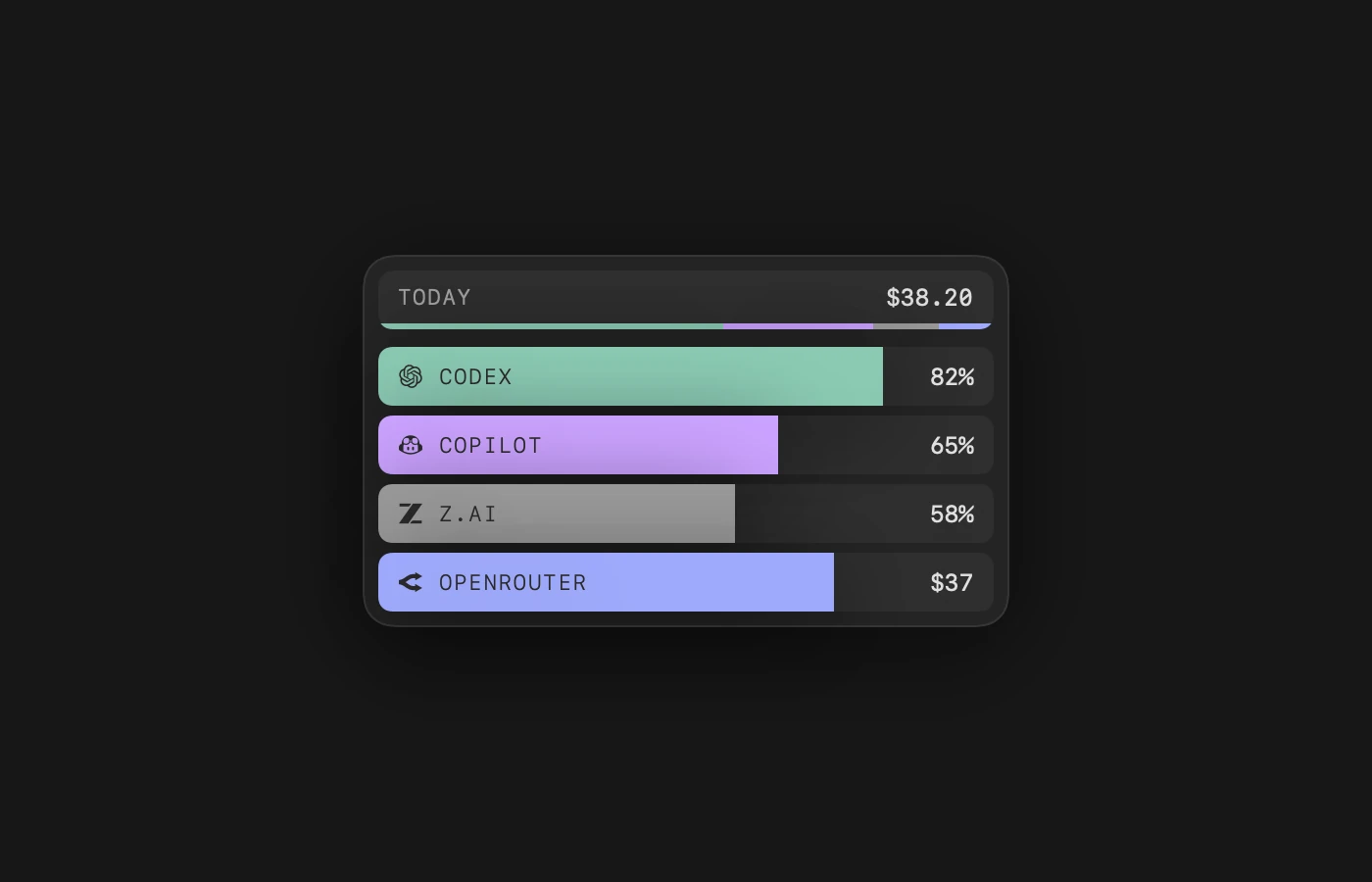
Any model you like.
An app that feels like a Mac.
Kuvo Code runs the official opencode engine, unmodified, and gives it an interface made for macOS. Bring the models you already pay for.
Any model
Sign in with a subscription you already have, add an API key, or start with free models that need no account.
The opencode engine
The official opencode, unmodified, so the agent works the way it does in the terminal.
Approve All or Ask First
Let the agent work on its own, or have it ask before it edits files or runs commands.
Build and Plan
Plan mode talks a change through before making it. Switch with ⌥⌘1 and ⌥⌘2.
Attach anything
Drop, paste or pick files of any kind. Pictures show up in the transcript.
Sessions by project
Every session sits under its project in the sidebar, with what it's doing at a glance. Give one a worktree of its own to work alongside the others.
Native
SwiftUI and AppKit with Liquid Glass. No Electron, and no web view for the interface.
Kept apart
Sessions, accounts and settings live in Kuvo Code's own folder, apart from any opencode you've installed.
Good to know.
Before you download.
Do I need an account or a subscription?
No. Start with the free models, which need no account. Or sign in with a subscription you already have (GitHub Copilot, ChatGPT or SuperGrok), or paste an API key for any provider opencode supports. Accounts →
Is it free?
For personal and other noncommercial use, yes, with its source on GitHub. Commercial use, like at work, needs a paid license: write to info@kuvo.run. Either way, you pay your model provider for what the agent uses, or nothing with the free models. The license →
Does my code leave my Mac?
Only to the model provider you pick: a message goes there with what the agent needs to answer, like the files it read and what its commands printed. Kuvo Code has no account of its own and sends no crash reports. It shares anonymous usage, which you can turn off in Settings. Privacy and data →
Do I need opencode installed?
No. The first time you open Kuvo Code, it downloads the official opencode engine, checks that it's the genuine, signed file, and keeps it, with your sessions and accounts, apart from any opencode you've installed. Installation →
How does a bot keep working while my Mac is off?
Put it on one of your machines: a Linux server you reach with SSH, like a home server or a VPS. It works there, and wakes itself up, while your Mac is off. A bot on your Mac works while your Mac is awake. Bots →
Which Macs does it run on?
Macs with Apple silicon, on macOS 26 or later. It checks for updates once a day and shows what's new before installing, and every release is signed and notarized by Apple. Updates →
One download.
Then open a folder.
Open Kuvo Code, sign in or pick a free model, and tell the agent what to build.
Download for macOSmacOS 26 or later, Apple silicon.
Your first session.
- Open Accounts with ⇧⌘K and sign in, or skip it and use a free model.
- Open a project folder with ⌘O.
- Ask for a change, then look it over in the Changes tab with ⌥⌘I.
New to it? Start with the docs →
Rather build it yourself? Build from source →